Fines and accident help
Fines and accident help.
Okayo reminds you before a spot fine's pay-by date. In an accident, Accident mode puts the numbers, your insurer and a photo checklist in one place.
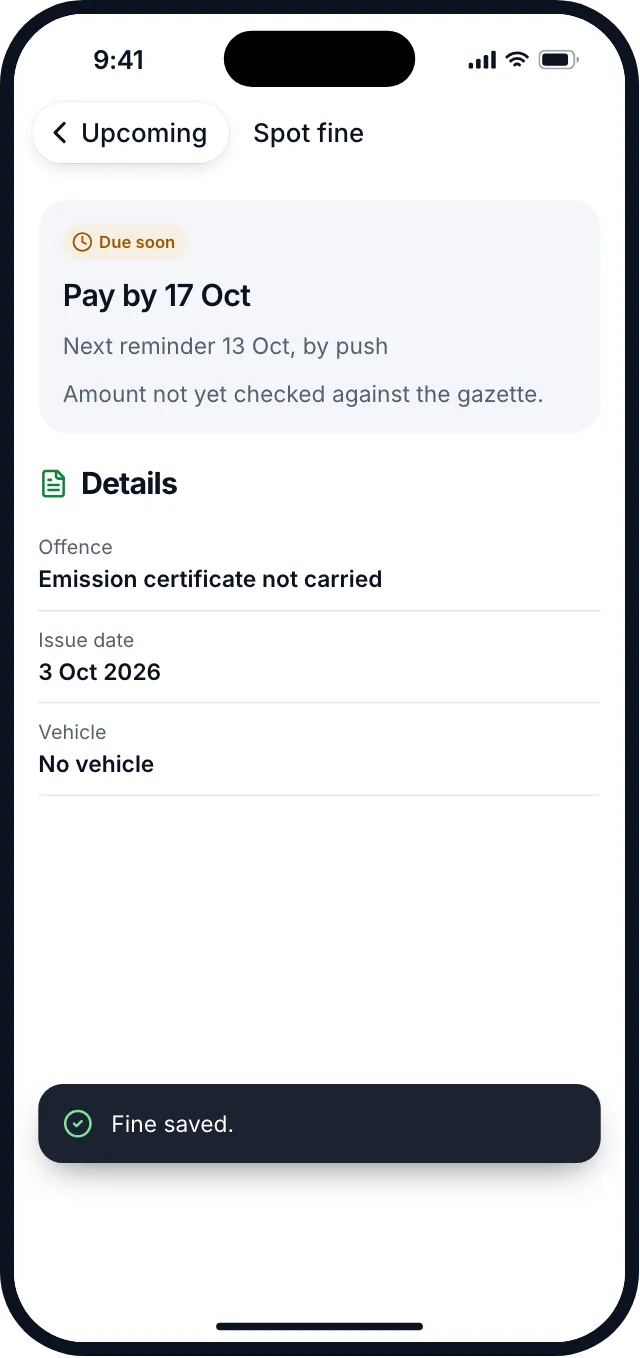
Check the amount on your fine notice. Okayo tracks the pay-by date, not the price.
How it works
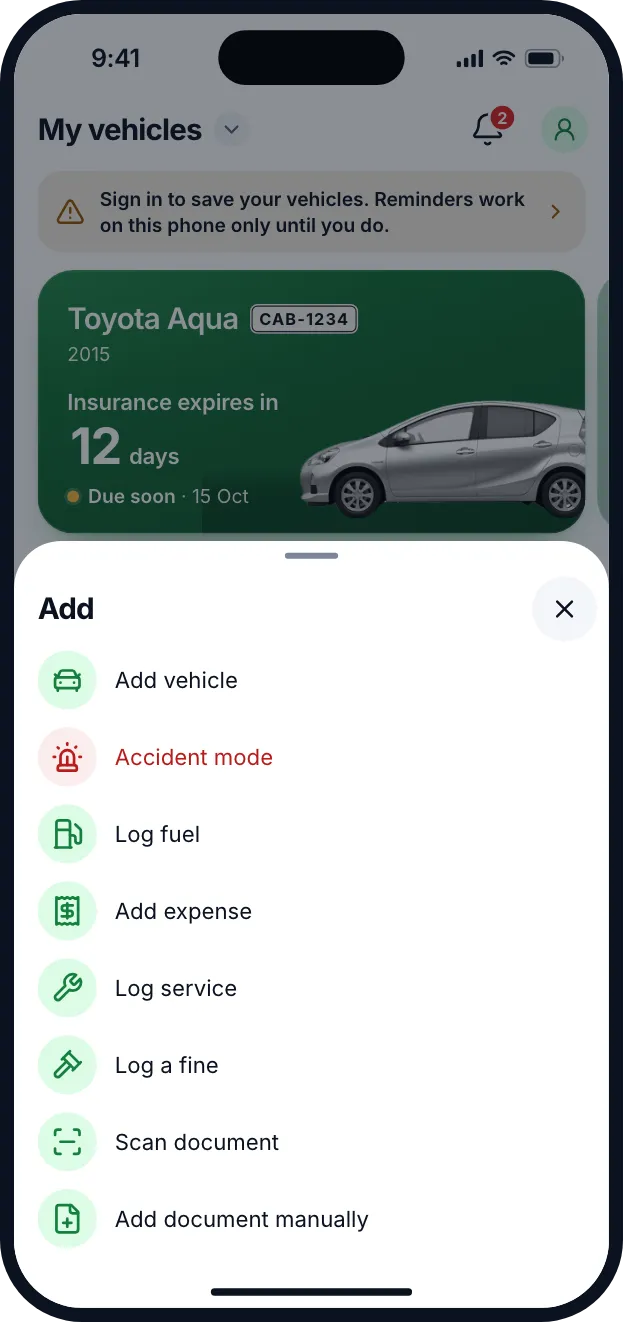
Log the fine.
Tap Add, then Log a fine, and pick the offence and the date.
See the pay-by date.
Okayo shows when to pay by, reminds you before it, and shows how to pay.
In an accident, open Accident mode.
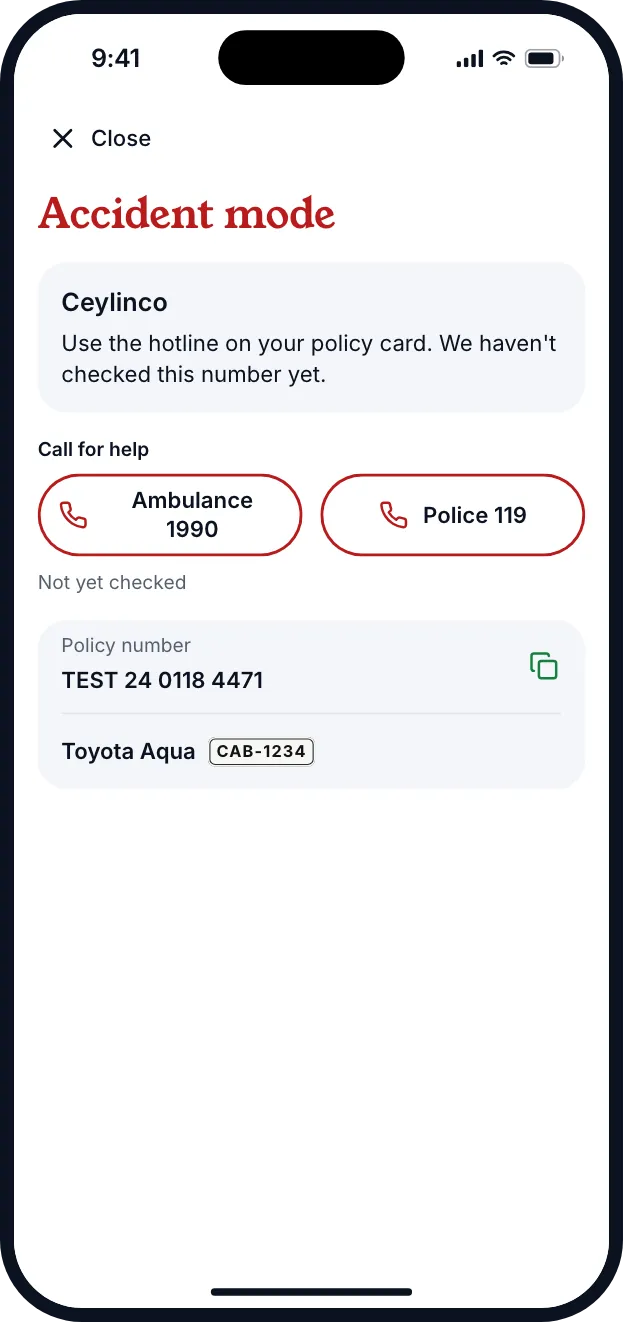
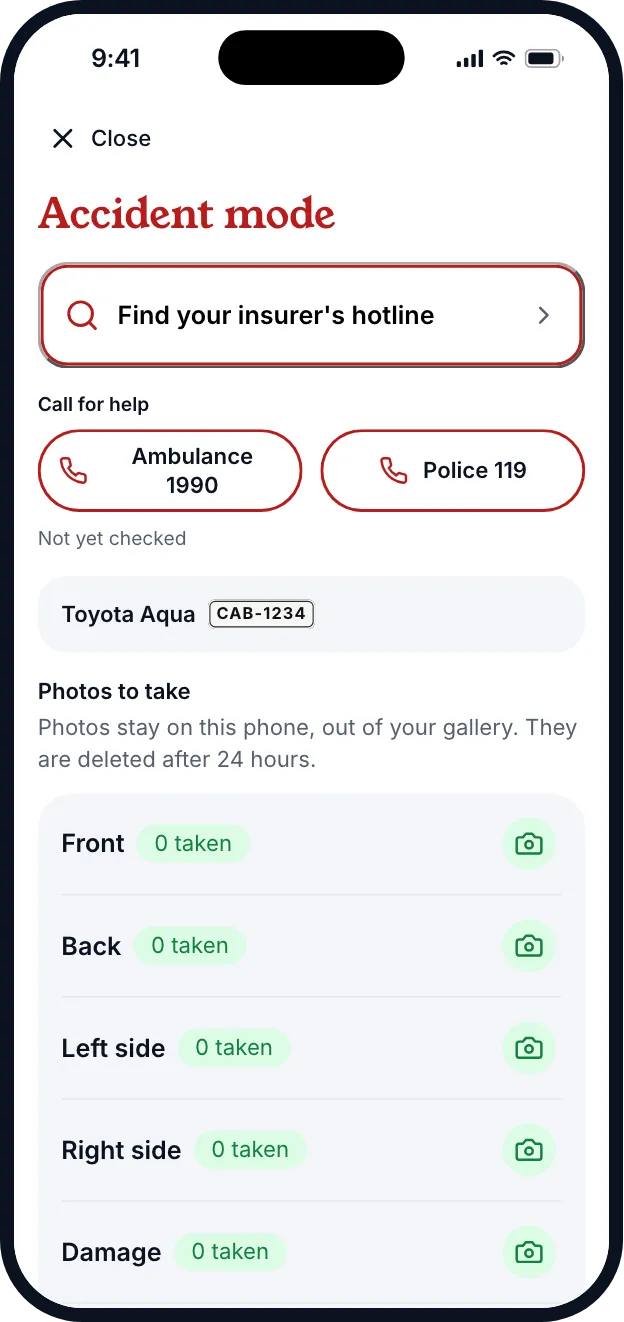
Ambulance 1990 and Police 119 in one tap, and your insurer’s hotline.
Take photos and note where you are.
A checklist for each side and the damage, and your saved location.
Accident photos
Accident photos stay on your phone.
Photos stay on your phone, out of your gallery, and are deleted after 24 hours. You choose what to share, and nothing is uploaded when you share a summary. The street name comes from your phone's map service.
Good to know
Okayo doesn't pay fines or call anyone for you.
Okayo shows how to pay a fine and keeps the dates. You pay through the official channel. Accident mode has buttons that call Ambulance 1990 and Police 119 from your phone.
Questions about fines and accident help
Can't find yours? Write to hello@okayo.com.lk.
Does Okayo tell me how much a fine is?
No. Fine amounts change, so check the amount on your fine notice. Okayo tracks the pay-by date and reminds you before it.
Does Okayo pay the fine?
No. It shows how to pay, and you pay through the official channel.
Are my accident photos uploaded?
No. They stay on your phone, out of your gallery, and are deleted after 24 hours.
Can I use Accident mode without a vehicle saved?
Yes. The emergency numbers are always there. Add a vehicle to see its insurer and policy number.
Okayo is coming to Android first.
Add your vehicle and one date. That is all it takes to start.