Papers and wallet
Your papers on your phone, ready when you need them.
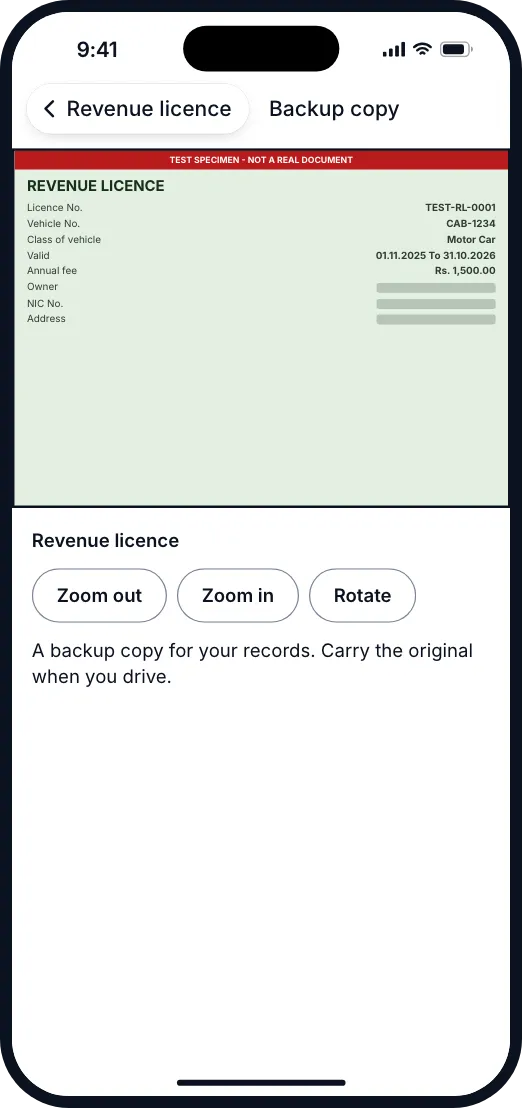
Scan your licence, insurance or emission certificate and keep a backup copy in Papers. Carry the originals too.
Document photos stay on your phone. Pro cloud backup Coming soon
How it works
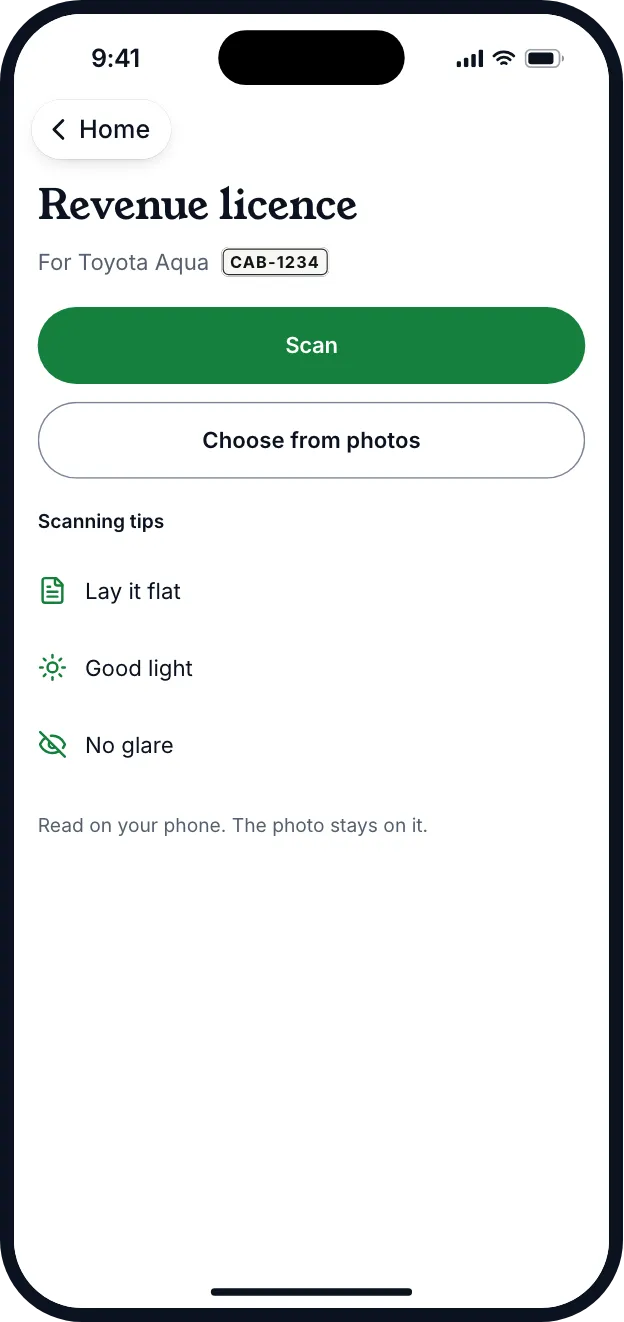
Scan or choose a photo.
Use the camera or pick a photo you already have.
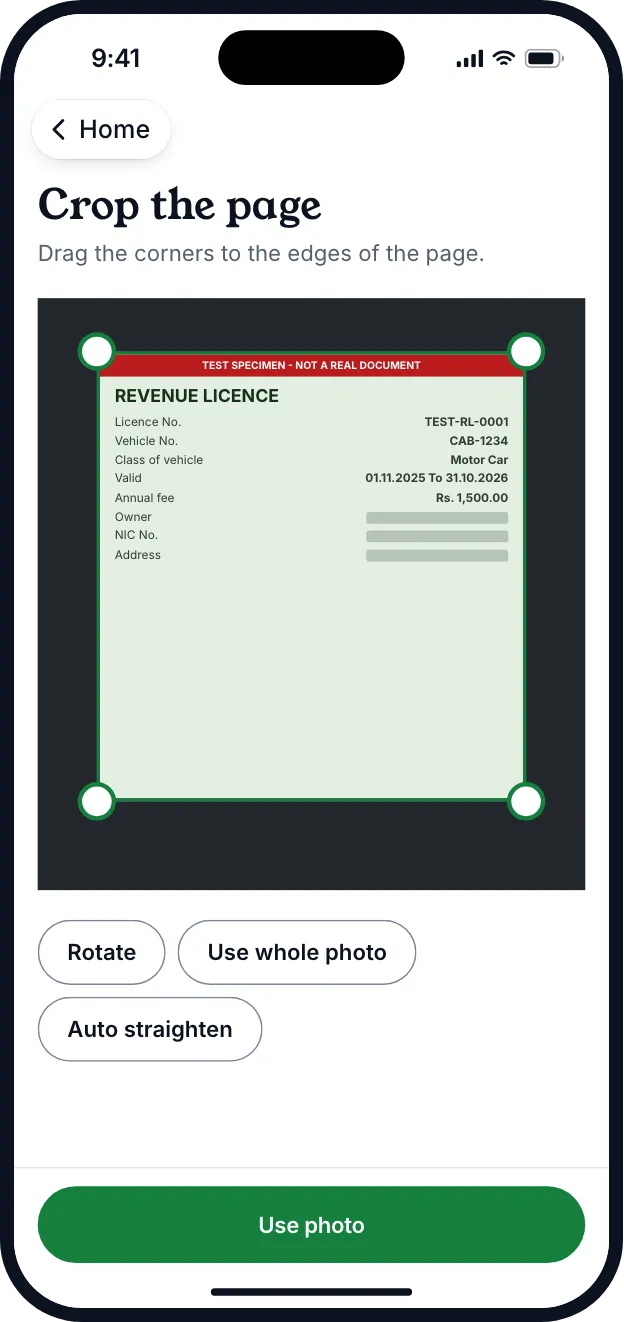
Crop the page.
Drag the corners to the edges of the paper.
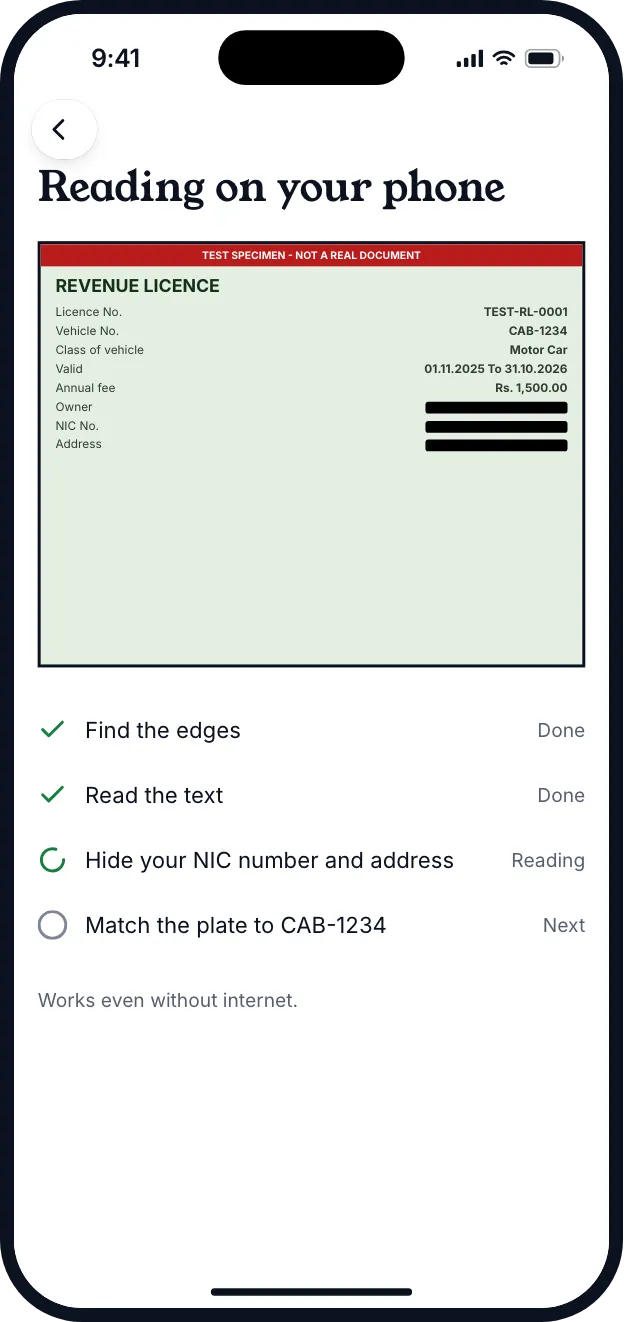
Okayo reads it on your phone.
It finds the dates and numbers and hides your NIC number and address.
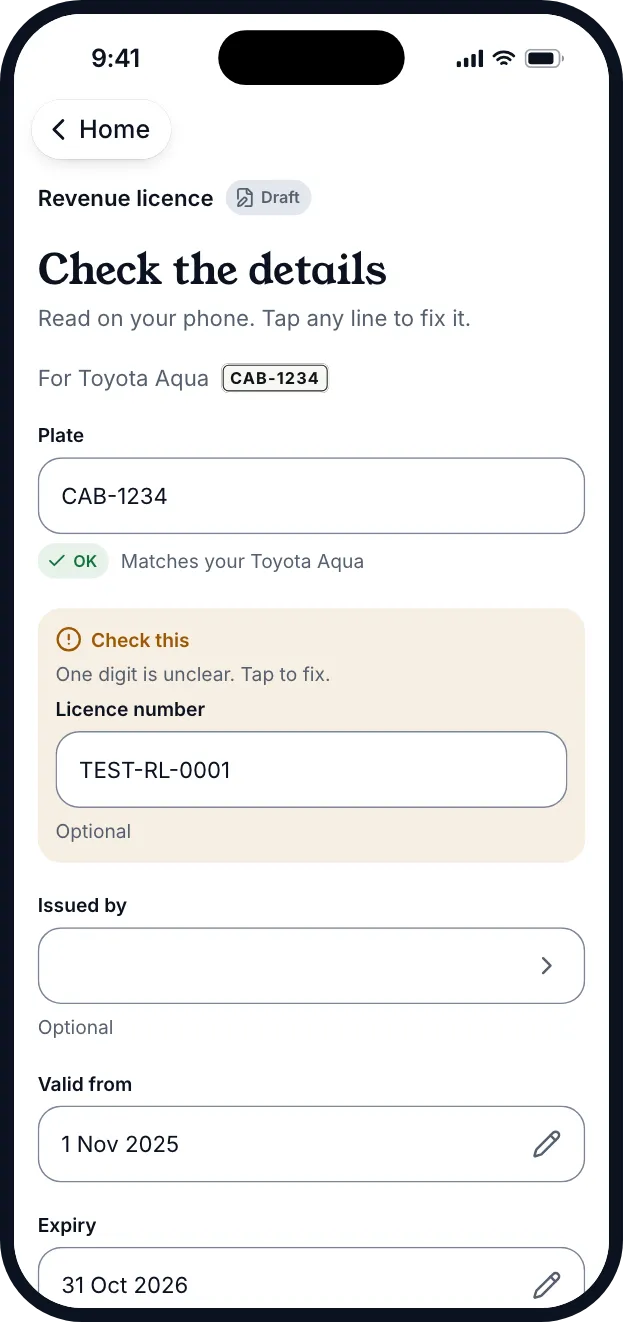
Check the details and save.
You check every field. Anything unclear is marked for you.
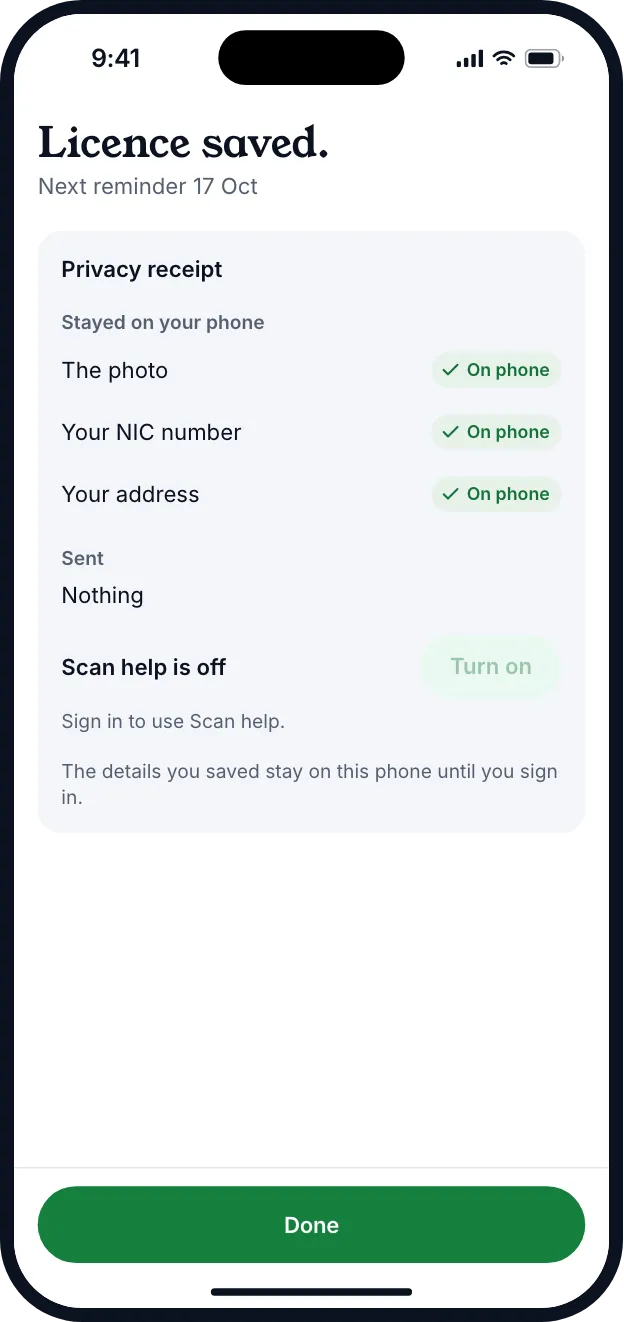
Privacy receipt
After every scan, you see what stayed where.
Okayo shows a privacy receipt: your photo, NIC number and address stayed on your phone, and what was sent, if anything.
- Read on your phone
- Scan help is off by default
- Nothing is sent unless you turn Scan help on
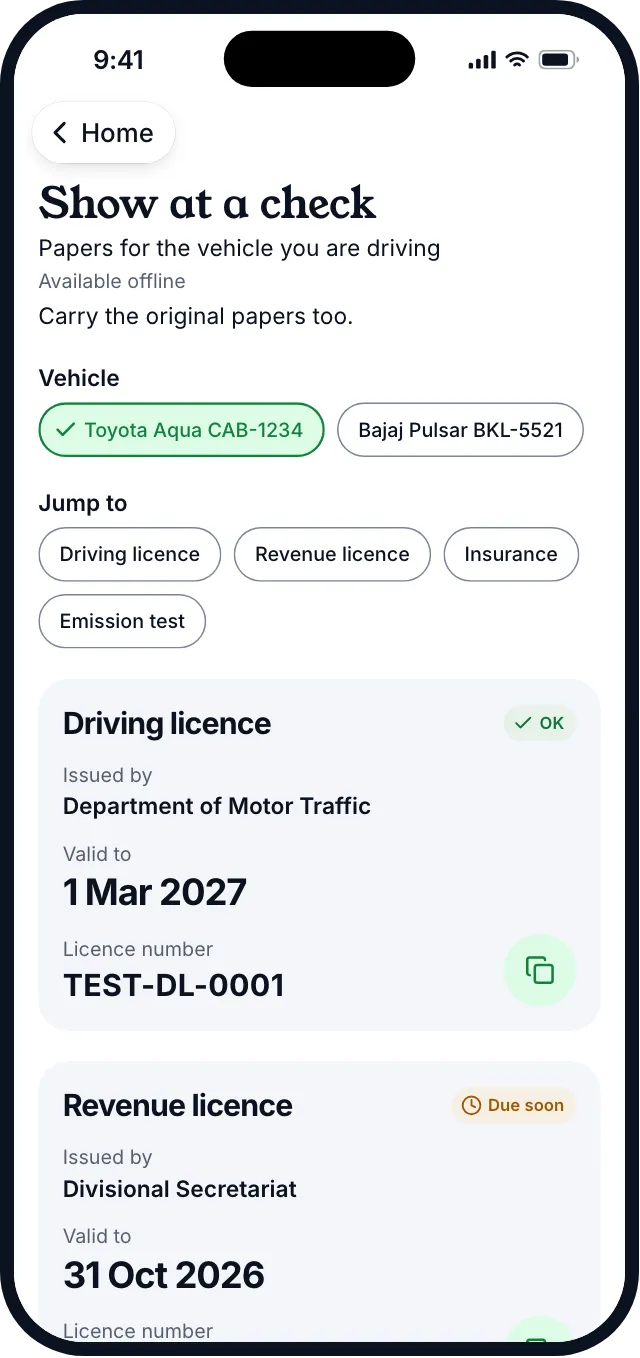
Show at a check
Papers lists what you may be asked for.
Papers shows the driving licence, revenue licence, insurance and emission certificate for the vehicle you are driving, and works offline. The photos are a backup copy for your own records. Police don't accept phone photos of documents, so carry the originals.
Cloud backupProComing soon
Lose your phone, keep your papers.
With Pro you will be able to turn on encrypted cloud backup, so your papers come back on a new phone. Our support team won't be able to open your document photos.
Questions about papers and wallet
Can't find yours? Write to hello@okayo.com.lk.
Can I show the photo to the police?
No. Carry the originals when you drive. Police don't accept phone photos of documents. The photos in Okayo are a backup copy for you.
Where are my document photos stored?
On your phone. Pro cloud backup, which is encrypted, is Coming soon
Does scanning send my photo anywhere?
No. Okayo reads the page on your phone. Scan help is off by default. If you turn it on, it sends only redacted text, never the photo.
What if the scan gets a date wrong?
You check every field before saving. You can fix a field or type the paper in yourself.
Okayo is coming to Android first.
Add your vehicle and one date. That is all it takes to start.